Duration — 1280×720 · 16:9 landscape HyperFrames HyperFrames + GSAP
Run log
ModelClaude (agent build)
Renderer / stackHyperFrames + GSAP
Iterations to final2
Render time33s (final render)
Format1280×720 · 16:9 landscape
Published2026-10-26
What broke (and the fix)
- First check flagged two real errors: a gsap.from() on the CSS-hidden DYNAMIC WORKFLOWS end line (it would have animated opacity 0→0 and never appeared) and a layout-property tween on the timeline playhead — fixed by holding the end line's hidden state in GSAP and animating the playhead with a transform. Snapshot stills at 2.2s, 5.5s and 8.6s then reviewed clean: reasoning-effort selector stepping toward ULTRACODE, the burst into the workflow editor with its icon crew, and the end line slammed in under the timeline.
Original prompt (shared by creator) Tested Community
@daniel_mac8's terminal-to-workflow burst — community prompt (tested)
Shared by @daniel_mac8 · Original post
Shared prompt: collected in the MIT-licensed awesome-opus5-5-videos repository, which invites anyone to copy a prompt and run it with their own agent; the prompt itself is credited to its author, @daniel_mac8. Our video is an independent test run of that prompt — the creator does not endorse MotionPrompts.
Prompt
Banned list —Beat grid —Build method —Self-review —
Act as a world class animator/designer who's work rivals Pixar, Disney and DreamWorks. Use your knowledge of motion graphics, SVG, CSS mockups, editing and animation to produce a peerless animation for an X post about how Ultra Code and Claude Code are now much more relevant due to Opus 5.5 being so much more efficient with the usage limits that they are no longer being annihilated.
Show an animation that starts with the Claude Code in the terminal, navigating and using the 'ultracode' reasoning effort.
Then explode into a creative scene that demonstrates Claude icon characters shooting an action packed video scene representing Claude Code dynamic workflows editing a video.
Use this prompt
The original prompt was built on two reference videos the creator attached locally (a /Users/… path in the repo note) — those files aren't public, so our run builds the three described beats directly: terminal → ultracode → the burst into a workflow-editing scene, with hand-drawn generic icons and no brand artwork. "Claude Code" is a {{placeholder}} so the same prompt can be re-aimed at another tool.
Related videos

HeyGen's terminal-to-kinetic example — community prompt (tested)
HyperFrames·16:9 landscape TestedCommunity
Kinetic type showreel
HyperFrames·Landscape Tested
Logo reveal — ring, notch and wordmark
HyperFrames·Landscape Tested
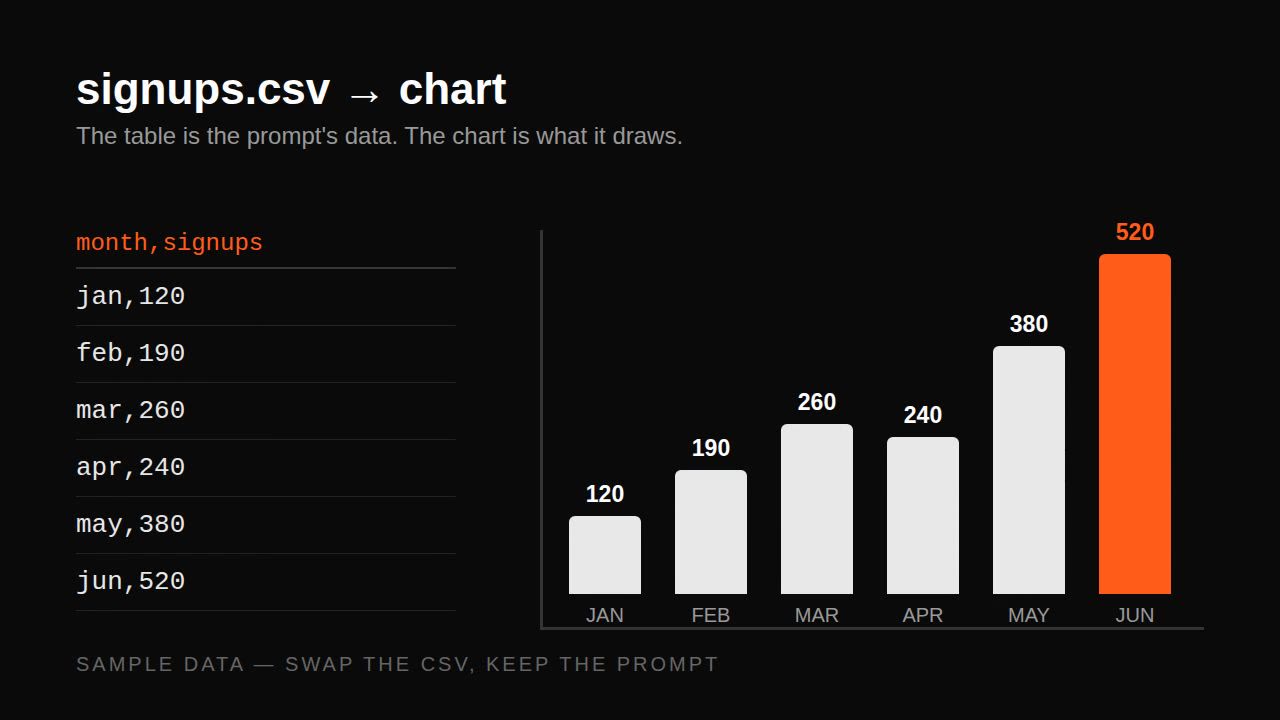
Remotion data prompt — CSV to animated bar chart
Remotion·Landscape Tested